Pixel Art Games You Can Play in Your Browser
Pixel art games are a perfect match for the browser. The art is small, so the games load quickly, run on almost any device and look crisp on a phone or a big monitor. You can find thousands of them, from tiny game-jam experiments to polished games, and play them without installing anything.
Here's where to look, a few famous examples, and how to get the best picture.
What is pixel art?
Pixel art is a style in which images are drawn deliberately, one pixel at a time, at a low resolution, then scaled up so each pixel shows as a crisp square. It grew out of the limits of early consoles and computers, which had tiny screens and few colours. Today it's a choice: artists use it for its clarity, charm and nostalgia.
You'll often hear pixel games described as "8-bit" or "16-bit". These originally referred to console generations, such as the NES and the SNES, and now loosely describe a look: chunky and limited for 8-bit, smoother and more detailed for 16-bit.
Why pixel art suits the browser
- Small files: pixel art compresses well, so games load fast even on mobile signal.
- Light on hardware: a 2D sprite game runs smoothly on an old laptop or a Chromebook.
- Readable at any size: a clean outline and a limited palette stay clear on a small phone screen.
- Quick to share: a link is all a friend needs to play.
Where to find pixel art games online
| Where | What you'll find |
|---|---|
| itch.io | Huge numbers of indie games, many playable in the browser, filterable by genre and style |
| Lexaloffle (PICO-8) | Tiny games made for the PICO-8 fantasy console, playable on its website |
| Internet Archive | Emulated classic computer and arcade games that run in the browser |
| Game jam pages | Short, experimental games made in a few days |
| Individual game websites | Standalone browser games like Mashy |
On itch.io, look for games marked as playable in the browser. Emulated classics on the Internet Archive are a fascinating history lesson, though the copyright situation varies by game.
A few well-known examples
Celeste Classic
Before the full game Celeste was released in 2018, its creators made a small version in four days for the PICO-8 fantasy console. That original, now called Celeste Classic, is still playable in the browser: a tough, tight mountain-climbing platformer in a 128 by 128 pixel screen.
PICO-8 games in general
PICO-8 is a "fantasy console": a pretend retro machine with a tiny screen and a 16-colour palette. The limits encourage short, inventive games, and many are free to play on the web. Browsing them is a lovely way to spend a lunch break.
The Chrome dinosaur
The pixel-art T-Rex game that appears in Google Chrome when you lose your connection is probably the best-known pixel game most people have played without meaning to. You can also open it on purpose by typing chrome://dino into the address bar.
Pixel golf
Golf has a long pixel-art history, from Nintendo's Golf on the NES to modern indie games. We cover the classics in retro golf games, and the wider story in the history of golf video games.
How to make pixel games look sharp
Pixel art can look blurry if it's scaled badly. A few things help:
- Use full screen where the game offers it, so it can scale cleanly.
- Reset browser zoom to 100% with Ctrl+0 (Cmd+0 on a Mac). Odd zoom levels can soften pixels.
- Try the game's display settings. Many offer scanlines, filters or a pixel-perfect mode.
- Close other tabs on older devices so the game runs smoothly.
Mashy: pixel-art golf in your browser
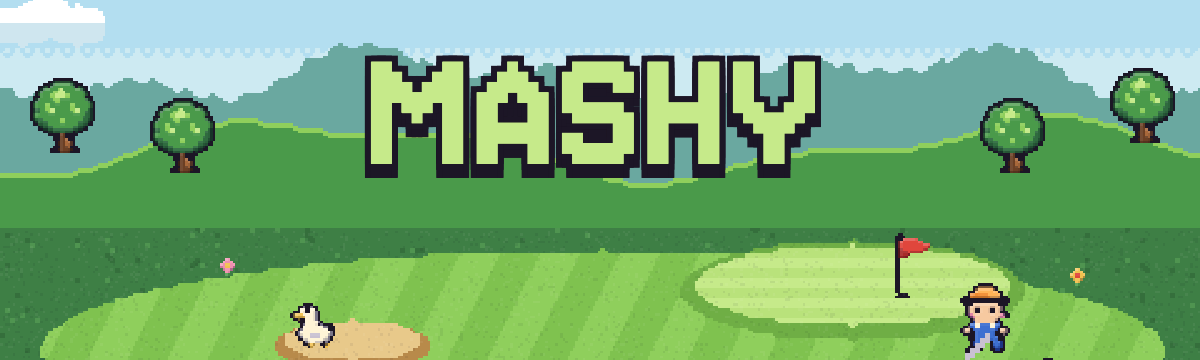
Mashy is our pixel-art golf game. It's seen from a top-down 3/4 view, with Pip the green keeper, ponds, geese and ducks, pot bunkers, dunes, cliffs and pine forest across five nine-hole courses. It runs in a phone or desktop browser with no download: tap TEE OFF NOW to play as a guest.
If you like the retro look, try the scanlines option in Settings for a CRT-style finish. The Pro Shop has pixel outfits for Pip, from Lumberjack to Royalty, bought with coins earned on the course. If you're curious how pixel golf differs from putt-putt, read mini golf vs pixel golf.
Frequently asked questions
Are browser pixel art games free?
Many are. Lots of browser pixel games are free, especially game-jam entries and PICO-8 games. Some indie developers ask for an optional payment or donation, and some free games offer optional purchases. Check each game's page to see how it works before you play.
Do pixel art games work on phones?
Many do, since pixel art is light and readable on small screens. Whether a particular game works well depends on its controls: games made for touch are best, while ones that need a keyboard are awkward. Mashy is designed to play in portrait on phones as well as on desktop.
What is the difference between 8-bit and 16-bit games?
The terms first described console generations: 8-bit machines like the NES and 16-bit machines like the SNES and Mega Drive. Today they describe a style. 8-bit art is chunkier with fewer colours, while 16-bit art has more colours, smoother shading and finer detail.
Why does pixel art look blurry in my browser?
Usually it's scaling. If the browser zoom or the window size makes each game pixel cover an uneven number of screen pixels, the edges can soften. Reset the zoom to 100%, try full screen, and check whether the game has a pixel-perfect or sharpness setting.
Is Mashy a pixel art game?
Yes. Mashy is a free pixel-art golf game played from a top-down 3/4 view in your browser. It has five nine-hole courses, a three-tap swing meter and drag-and-release putting, and you can turn on scanlines in Settings for a more retro look.